
Searching Cases by Name
The Putnam TnCIS Web Inquiry is the county entry point for public Circuit Court and General Sessions searches. Official AOC material confirms party-name searching, but the inspected dynamic form did not expose a safe rule for name order, minimum letters, or partial matches. Begin with the name as accurately as possible. Then use the court and case-type choices that the live form actually presents.
- Open Putnam Web Inquiry and choose Search to locate a case or party.
- Select Circuit Court or General Sessions as supported by the live Putnam page.
- Enter the party name, then use the available case-type control without guessing an unlisted option.
- Compare likely results by case number, filing information, court, and public party details.
- Check the dated PDF docket or ask the clerk to confirm a current hearing and obtain an order.
The verified controls are intentionally narrow. Required status was not stated in the inspected guidance.
| Field Label | Type | Required | Notes |
|---|---|---|---|
| Party Name | Search mode/text | Unspecified | AOC confirms party-name search; exact name rules were not published in the reviewed guide. |
| Case Number | Search mode/text | Unspecified | Use the full Putnam court identifier when known. |
| Court Type | Selector | Unspecified | Putnam publicly shows Circuit Court and General Sessions choices. |
| Case Type | Selector | Unspecified | The live site controls the options; a complete list was not exposed. |
| Documents | Selection | Unspecified | AOC describes “All documents” and “NO documents”; local availability varies. |
Putnam TnCIS Search Portal
Putnam Web Inquiry is a public case-information service, not an e-filing vendor. Electronic filing is authorized in Putnam Circuit Courts under local Rule 6 and Tennessee Supreme Court Rule 46A, but the official sources reviewed did not name a current public vendor. Do not use a case-search login to infer how a filing should be submitted.
The manifest capture comes from the official Putnam search entry.
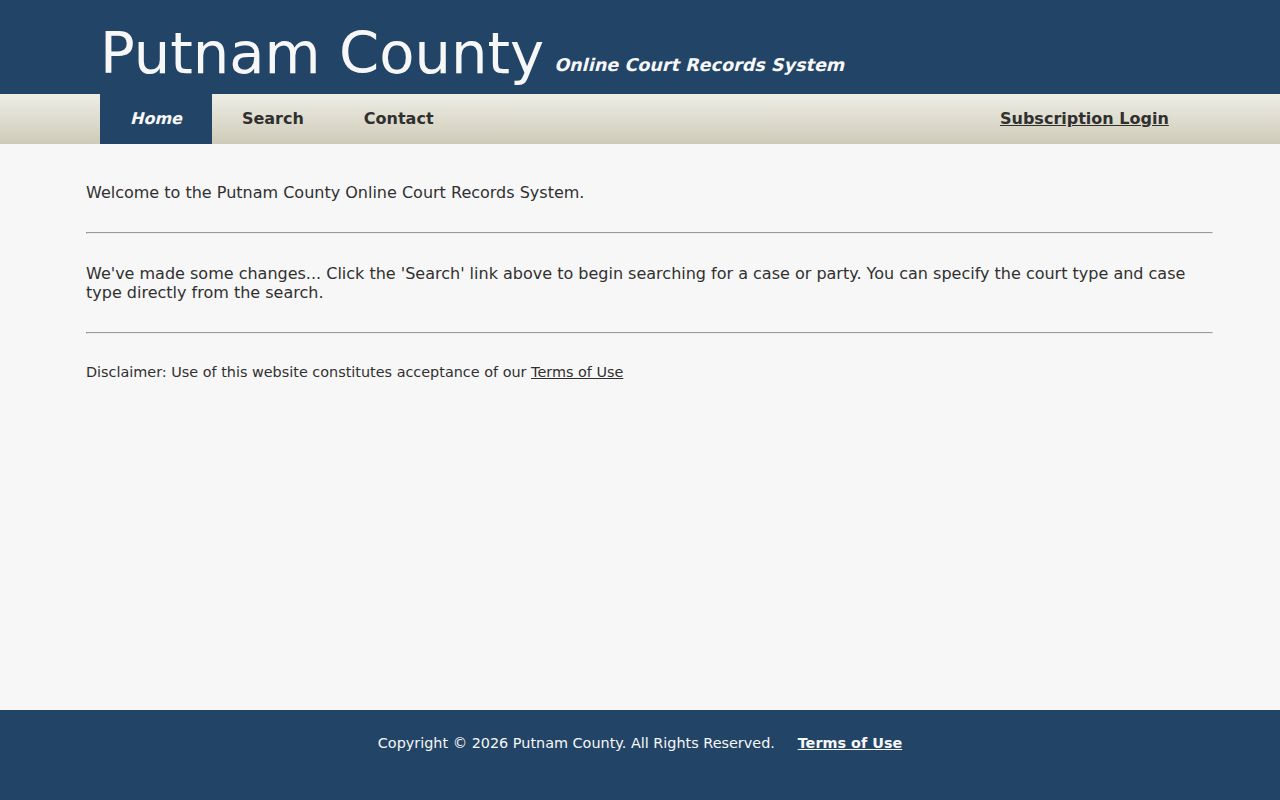
The page confirms the local court choice and search entry. Its JavaScript controls can change, so the labels visible during a live search should govern.
Note: No official bulk docket download or public-data export was located for Putnam County.
Searching by Case Number
A case number is the best discriminator for common names. Putnam County examples begin with county and court codes, carry a year and case-type code, then end in a sequence. Circuit civil uses 71CC1-YYYY-CV-NNN. Circuit criminal uses 71CC1-YYYY-CR-NNN. General Sessions examples use 71GS1-YYYY-CR-NNN for criminal and 71GS1-YYYY-TR-NNN for traffic.
Enter the full identifier when the portal permits it. Keep its punctuation if the exact search works; if not, follow the live portal's format. The prefix helps route a failed search. 71GS1 is a General Sessions lead, not proof that the same number will work in Circuit, Chancery, municipal, appellate, or federal systems.
Search clue: A case-type suffix identifies the observed docket family, but the filed record controls what the case actually contains.
Putnam Date PDF Cross-Check
A name search and a calendar search answer different questions. TnCIS helps locate case information by party or number. The Circuit Clerk docket index organizes current Putnam County settings by dated PDF. If a likely case is found, compare its number with the relevant civil, criminal, traffic, domestic, or motion-date file.
A PDF can reveal the court, selected date, time, judge, hearing type, and notes even when a broad name query is awkward. Yet it remains a calendar snapshot. It may say continued, pretrial, jury trial, reopen, or consolidated without linking the order that explains the event. For the authoritative result, request the underlying order or judgment.
What a Case Search Returns
Public detail varies by court and document setting. Putnam County sample dockets show enough fields to identify the case and scheduled event, but not every filed image. AOC guidance distinguishes Web Inquiry options with all documents from no documents. That does not guarantee that every image is public or available in each Putnam court.
| Case Number | The court-specific identifier, such as 71CC1-YYYY-CV-NNN. |
|---|---|
| Style / Parties | The case caption and public party roles used to distinguish the matter. |
| Case Type | Civil, criminal, traffic, or another category supported by that court. |
| Filed Date | When the clerk docketed the case or filing, not necessarily the event date. |
| Setting | The hearing date, time, judge, purpose, and notes when included. |
| Status | A procedural label that should be checked against the filed order. |
Criminal rows may also show counts, Tennessee Code citations, bond data, and hearing language. Civil rows may show attorneys, categories, jury status, trial dates, and cross-references. Never infer guilt, liability, or a final result from one line.
Putnam Search Fallback Chain
When Web Inquiry fails, check spelling, a surname variant, the year, and the court prefix. Then search the current and earlier docket PDFs. The Circuit Court Clerk accepts questions by phone at 931-528-1508, at the counter, and through recordsclerk@putnamcountytn.gov. Include the name, case number, and year. Mail, fax where the office publishes it, and a formal inspection or copy request are also documented routes.
Ask whether a courthouse public-access terminal is available before traveling because no official Putnam terminal description was located. Under the Putnam public-record policy, inspection and copies can be requested from the custodian, but the policy cannot open a sealed or confidential record. The Circuit Clerk is the first custodian for its court files.
Statewide vs County Case Search
The statewide TnCIS selector is a route into participating county systems, while Putnam Web Inquiry is the direct Putnam County entry. Tennessee appellate Public Case History is a different system for the Court of Appeals, Court of Criminal Appeals, and Supreme Court. Treating all three as one database can hide the correct case.
| Search Route | Coverage | Best Use |
|---|---|---|
| Putnam Web Inquiry | Public Putnam Circuit and General Sessions choices | A known local trial case or party |
| Statewide county selector | Entry points for participating Tennessee counties | Choosing Putnam or checking the correct county route |
| Public Case History | Tennessee appellate courts within stated date limits | An appeal searched by style, party, organization, or appellate number |
The official statewide selector's manifest image shows the county-routing function.
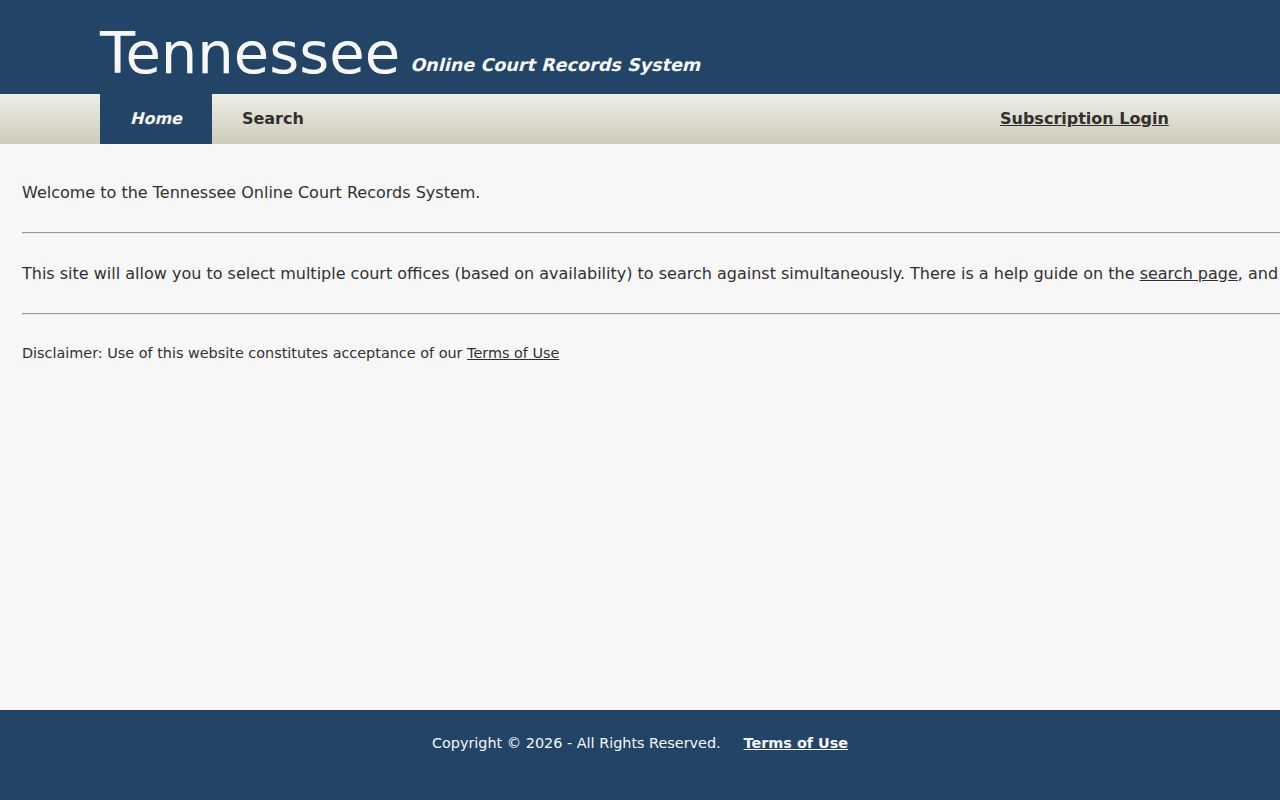
Selecting Putnam leads back toward county trial information. It does not turn the selector into a single statewide register of every court.
Putnam Cases Outside TnCIS
Chancery searches go to Brandi Ashburn's Clerk and Master office. Its files can cover domestic matters, adoption and termination, contracts, property disputes, trusts, name changes, support, paternity, and conservatorships. Probate and Juvenile also require the proper office. The constitutional County Clerk is not the default keeper of these court dockets.
Algood, Baxter, Cookeville, and Monterey municipal matters belong first with each city clerk. A city ticket is not guaranteed to appear in a Putnam General Sessions traffic search. Federal civil, criminal, and bankruptcy cases require PACER and the Middle District or bankruptcy system. These paths may use unrelated numbers, and the Putnam County clerk cannot certify their records.
Putnam Appeal Search Fields
The Tennessee appellate form supports searches by case style, party, organization, or case number. An appeal can receive a new number, so a trial identifier alone may not retrieve it. Use party and organization modes when the appellate number is unknown, then verify the originating Putnam County case in the result.
The manifest capture records those official appellate choices.
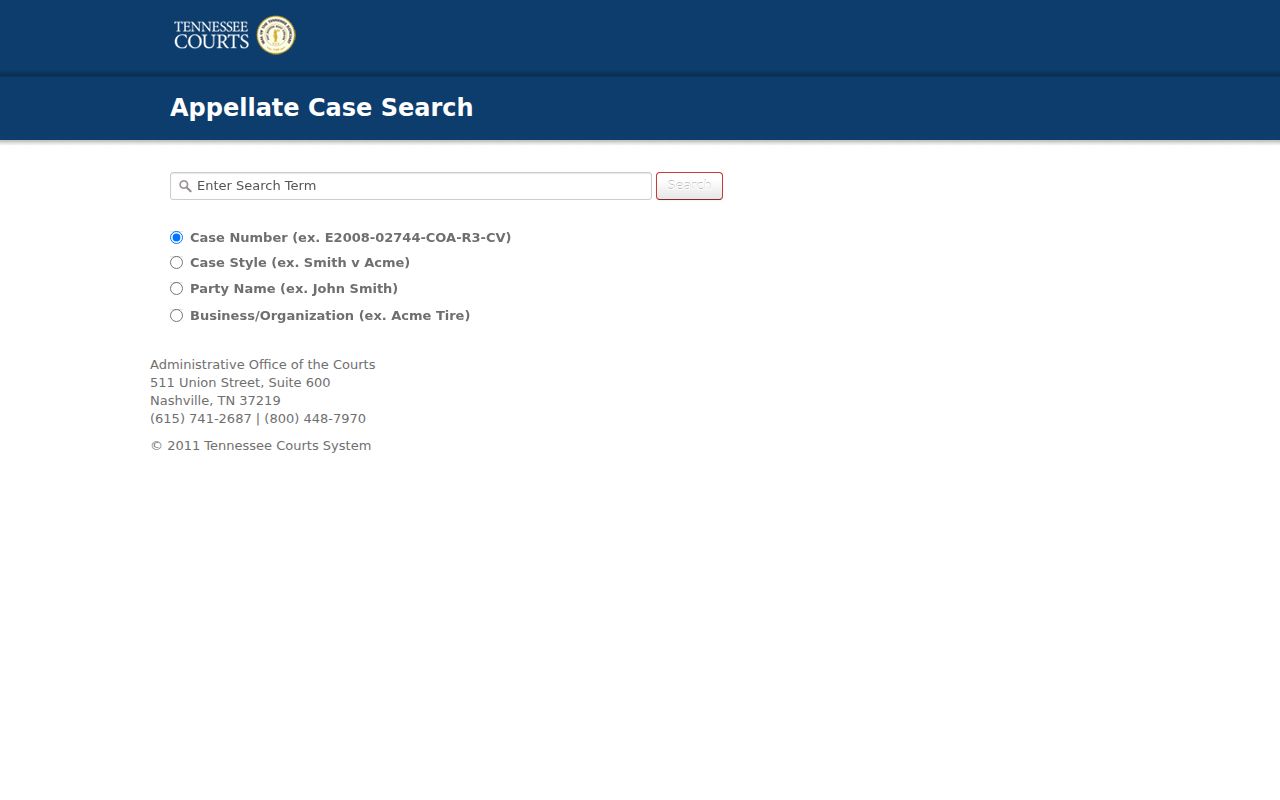
Sealed appellate documents follow a separate Rule 15 process. A visible appeal entry does not make a sealed filing downloadable.
Note: Search the appellate case style as well as the original Putnam County trial number when an appeal is expected.
Access and Restricted Cases
Tennessee Supreme Court Rule 34 makes court case records public by default, subject to statutes, other rules, seals, and protective orders. Public does not mean that every document image or personal field is online. Drafts, judicial deliberative material, and protected records can remain outside ordinary results.
Tennessee Rule 114 makes dependent and neglect proceedings confidential. Delinquent and unruly proceedings follow different closure rules. Expunged, sealed, or restricted material can also yield no public detail. A blank Putnam County search therefore does not prove that no case exists.
Public search limit: Ask the clerk whether the record is held by another court, restricted, or available only by inspection. Do not use a records request to bypass a seal.
For a public certified copy, identify the exact order and ask the custodian about certification under Tennessee Rule of Evidence 902. A screen result or dated docket PDF is not automatically a certified court record.